How RoboVigil Works: From Factory Floor to Your Fingertips – Simple to set up. Intuitive to use. Powerful data.
RoboVigil’s smart machine monitoring system keeps you in the loop and in control – whether you’re at the machine or miles away.
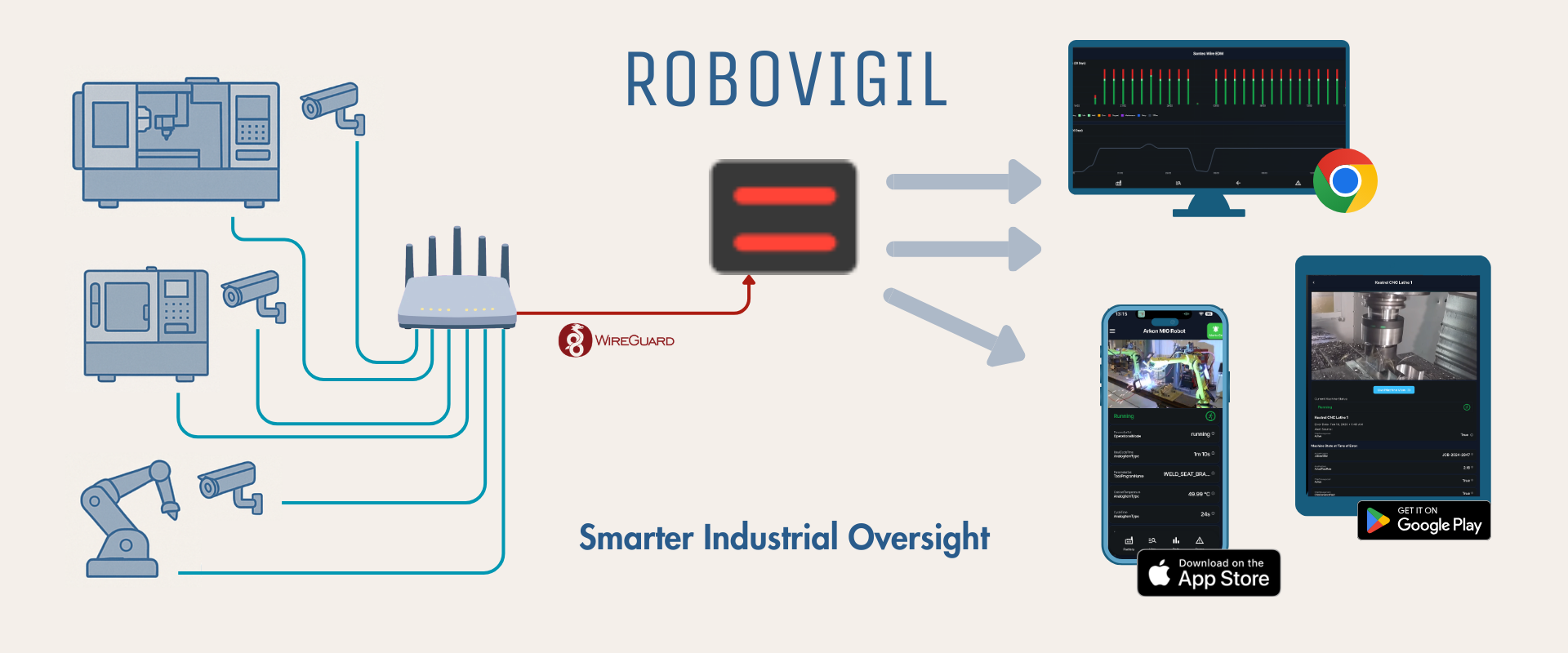
Connect your machines and IP cameras to RoboVigil via a secure WireGuard tunnel. Robots talk to RoboVigil directly using their own protocols; everything else connects over MQTT or OPC-UA — all through the same encrypted connection.
No ports need opening on your factory firewall. No hardware to install on-site. Your existing router runs a lightweight WireGuard VPN client, and RoboVigil connects to your machines and cameras through that encrypted tunnel. The entire setup can be completed in under an hour.
A smarter way to run your machines:
- 🔧 Simple and robust — plug-and-play installation, no IT team needed.
- 📈 Scalable and cost-effective — from one machine to a busy shop, RoboVigil grows with you. You pay only for the machines you monitor.
Step 1: Connect
Start by setting up your secure connection. From the RoboVigil app or web dashboard, generate a WireGuard configuration file for your site. Download it and load it onto your router — that’s your encrypted tunnel established. No ports to open on your firewall, no specialist IT knowledge required.
Once the tunnel is live, you add your machines in one of two ways. ABB, Universal Robots and FANUC robots — and any MQTT or Sparkplug B equipment — connect directly: select the manufacturer and protocol and RoboVigil helps map the available data points for you. Note that ABB robots, UR and Fanuc Robots do not need any software options, any configuration or URcap – we have designed the system to use the data that is already there. For OPC-UA equipment, RoboVigil scans your network, discovers compliant machines automatically and maps their data points — cycle counts, operating states, temperatures, speeds, error codes and more.
Either way you get the same result: ABB, FANUC, KUKA, Siemens, Mitsubishi, Universal Robots, Omron, Beckhoff and more in one dashboard, regardless of who built them. For OPC-UA machines that require security certificates, download one directly from the app and load it into your machine’s configuration.
Standard off-the-shelf IP cameras connect through the same secure tunnel — no proprietary camera hardware required. Any RTSP-compatible camera works. Position cameras where you need visibility and link them to specific machines in your dashboard.
Older machines without native OPC-UA? Inexpensive protocol bridges and industrial gateways (such as Weidmüller IPCs) can convert Modbus, EtherNet/IP, and other protocols into a supported format — bringing legacy equipment into the same monitoring environment as your newest kit.
Step 2: Analyse
RoboVigil’s cloud platform processes live machine data and camera feeds to surface what actually matters — job progress, faults, trends, and anomalies.
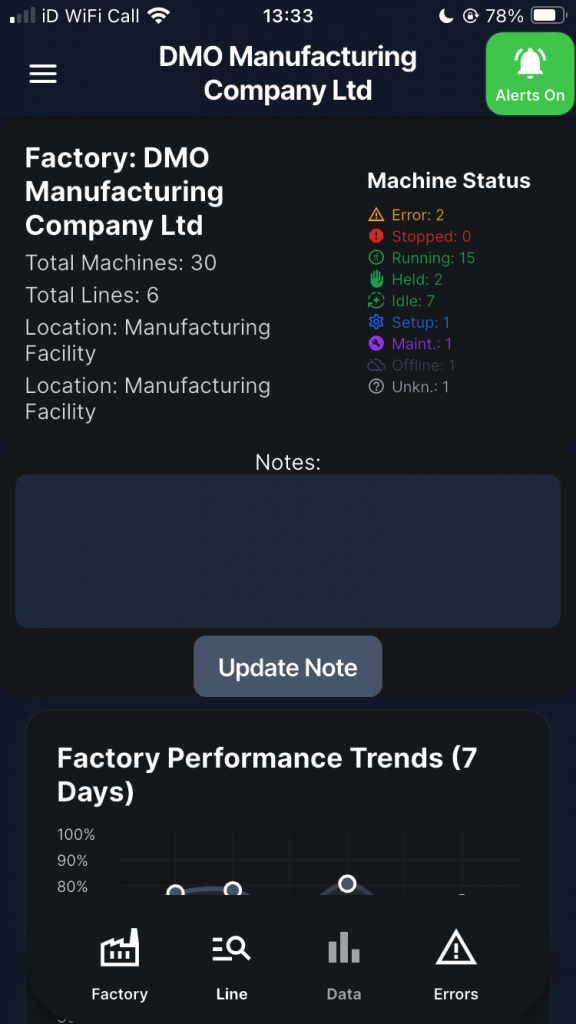
Data from different equipment brands is normalised into a consistent format, drawing on recognised industry data models including the OPC-UA companion specifications for Robotics, Umati (machine tools) and PackML (packaging). This means a FANUC robot and a Siemens CNC appear in the same dashboard with directly comparable metrics — regardless of who built them or how they connect. But importantly we do not rename any variables. What you see in RoboVigil is the same as you see on the machine or teach pendant.
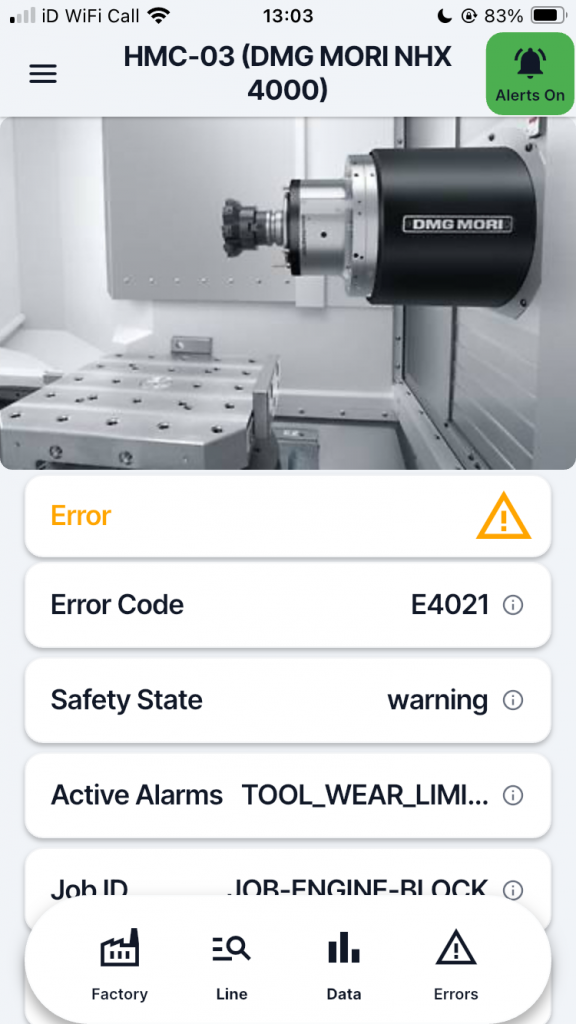
RoboVigil continuously evaluates your machines against configurable alert thresholds. You define what matters: temperature limits, cycle time deviations, fault states, idle periods, or any other condition your machines expose.
Step 3: Deliver
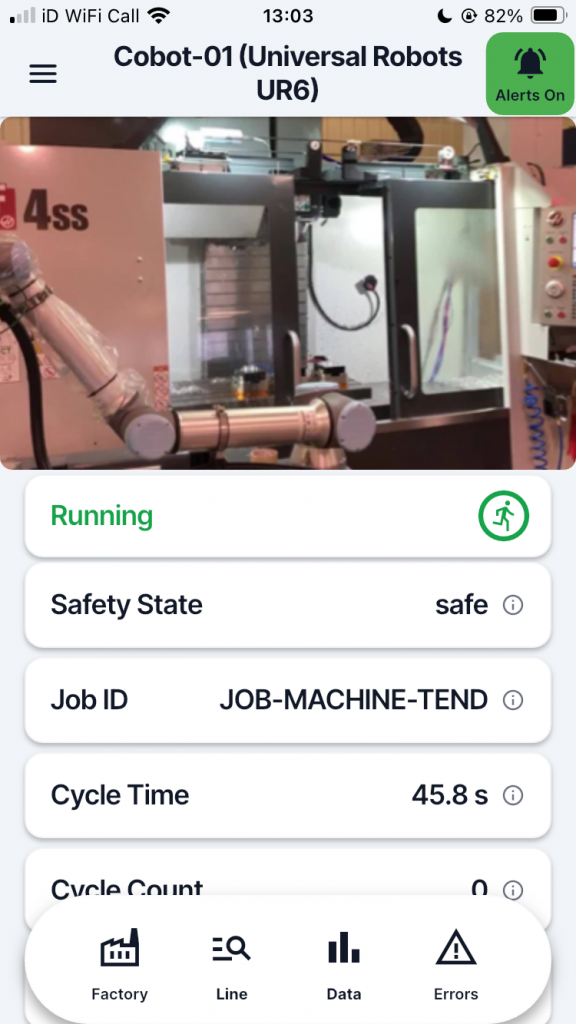
Everything is delivered straight to the RoboVigil app on your phone and the web dashboard.
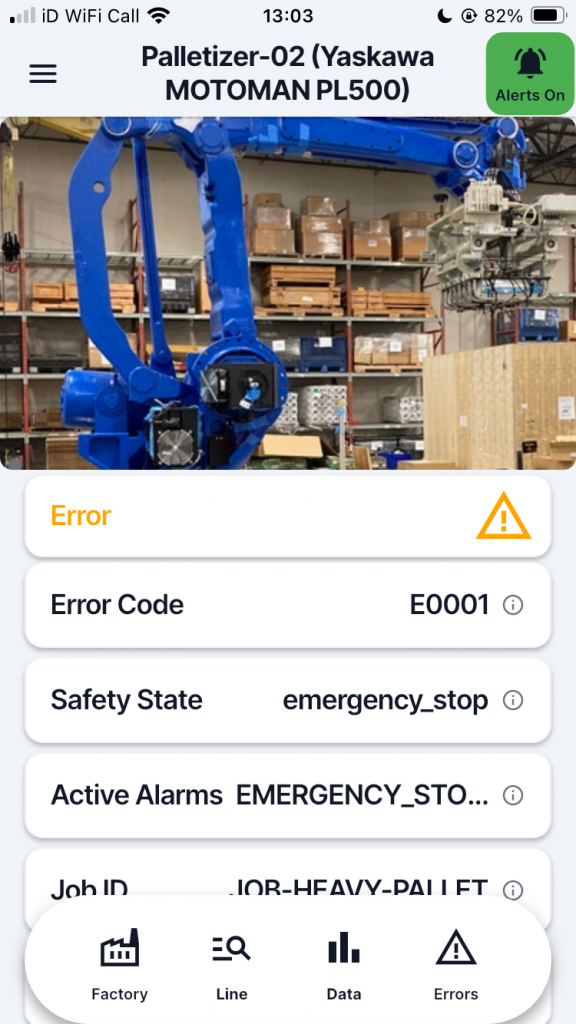
You’ll see live video feeds from linked cameras, get instant push notifications for faults and threshold breaches, and access detailed data logs whenever you need them.
When a machine faults, RoboVigil automatically captures a snapshot from the linked camera and delivers it alongside the alert — so you can see what happened, not just that something happened. No scrolling through hours of footage to find the moment things went wrong.
Alert history, machine performance data, and camera snapshots are all stored and searchable, giving you a complete audit trail of your operations.
Alerts are shift-aware — configure schedules so machines don’t alarm during planned downtime or off-hours. Mute individual machines during maintenance without affecting the rest of your monitoring. No more notification fatigue from alerts you don’t need.
Multiple team members can access the same machines with role-based permissions. Integrators managing several customer sites see everything from one account, while their customers see only their own equipment.
Step 4: Take Action
With immediate information on your phone, you can respond to problems quickly, keep jobs moving, and make smarter decisions to avoid downtime.
Spot a fault on a machine across the factory? Check the camera snapshot, assess the situation, and dispatch the right person with the right information — before walking over yourself.
Running lights-out or weekend shifts? RoboVigil watches your machines so you don’t have to. Alerts reach whoever is on call, wherever they are.
Track performance over time to identify recurring issues, compare shift productivity, and make data-driven decisions about maintenance scheduling and process improvements.
🚀 RoboVigil watches your machines so you don’t have to
No news is good news. RoboVigil stays quiet while your machines run — and the moment something needs you, it’s already on your phone, from a single machine to a busy factory.
📱 The first to know, wherever you are
- A fault on the night shift, a stoppage across the factory, a cell down while you’re off-site — you know the instant it happens.
- Live video and real-time machine data in your pocket, so you can react before it costs you.
⚡ See what happened, not just that it happened
- Every alert arrives with a camera snapshot from the moment things went wrong — diagnose issues immediately.
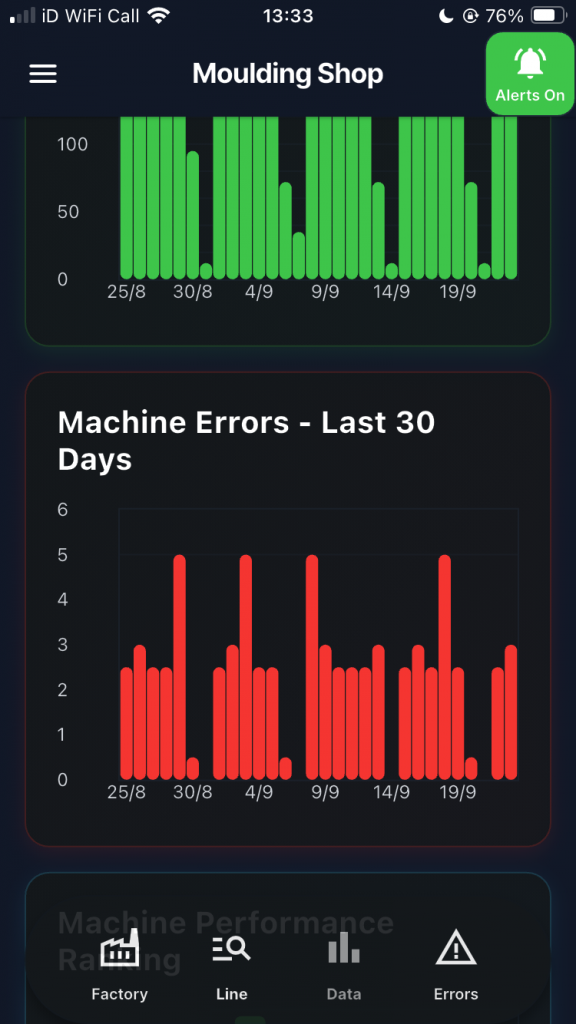
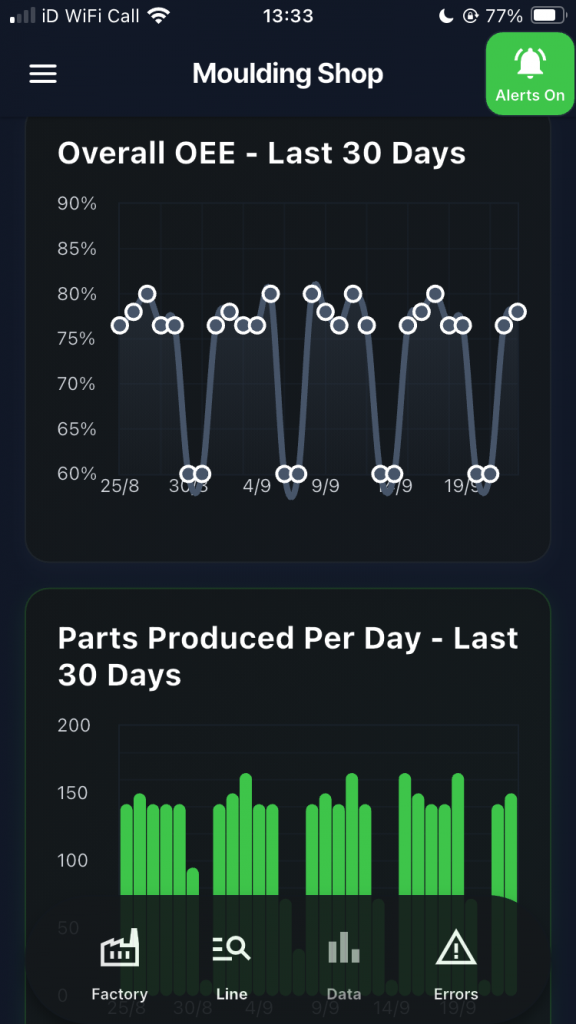
- Track OEE, cycle times, fault frequency and downtime causes per machine.
- Spot bottlenecks and monitor efficiency with intuitive dashboards and performance graphs.
🟢 Quiet by design
- You decide what’s worth an alert and when — no notification fatigue from things that don’t matter.
- Clear, simple dashboards designed for shop floor decisions — not data science.
✅ Affordable and Effective
- No massive capital expenditure. No complex installations.
- £150 per machine per month. Start with one machine, scale when you’re ready.
WHAT YOU NEED:
RoboVigil is software-only. There’s nothing to install on your factory floor. You provide three things:
🔒 A router that supports WireGuard — most modern business routers support it, or add an inexpensive gateway device. The connection can even be via a 4G/5G mobile connection if needed.
📷 Standard IP cameras — any RTSP-compatible camera works. Position them where you need visibility. Connect them up via our WireGuard tunnel. This gives you visibility without exposing anything to the wider internet.
⚙️ Supported machines — Industrial robots connect directly using their own protocols – no software options needed. Most CNCs, injection moulders, PLCs and other machine controllers support MQTT or OPC-UA natively. For older equipment, inexpensive protocol bridges can bring legacy machines into the same monitoring environment.
That’s it. No servers to rack. No software to install on factory PCs. No specialist IT support required.
Ready to Get Started?
RoboVigil brings real-time monitoring, instant alerts, and smarter decision-making to your machines — all in one easy-to-use app. It’s the simplest way to reduce downtime, improve safety, and keep your workshop running at its best.
Try RoboVigil now. The full version is free for 30 days. Available now on the App Store and Google Play. Next steps here.