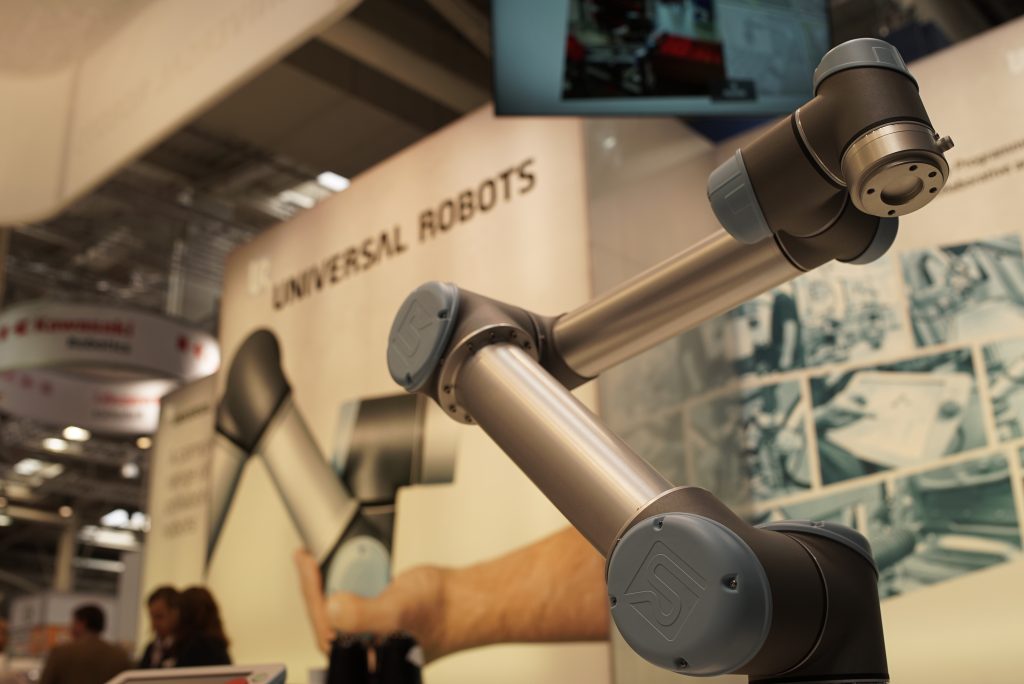

Universal Robots cobots are everywhere. Over 100,000 deployed worldwide, running machine tending, palletising, welding and a great deal else. UR Robots were bought to run on their own, and they mostly do. The problem is what happens when they don’t. On most sites a stopped cobot is found by someone walking past it, and a support file for UR technical support is collected by someone driving to it.
Get the Support File, Without the Visit
If you look after Universal Robots, you know if something goes wrong, UR or the integrator will likely ask for the support file. That means someone has to go to the robot, plug a USB stick into the teach pendant and export the file to the USB. Then you need to plug the stick into a computer and transfer the file to where it is needed. Simply driving to the customer’s site can cost you a half-day. If it’s on the night shift, you’re guiding an operator over the phone to do it for you… and hoping they get it right.
Several integrators told us this was the single most annoying issue in looking after URs remotely. So RoboVigil now does it from the app.
Press the button on the machine’s setup page and RoboVigil asks PolyScope to generate its own support file. RoboVigil then pulls it over the VPN connection and emails you a secure download link when it’s done. Seconds on a wired connection, a bit longer over 4G, but you don’t need to wait around for it. You get the complete export: current program and installation, the full programs folder, the log history, the crash reports and the versions summary. It’s the genuine UR file, so it’s exactly what UR or your integrator expect to receive.
PolyScope writes the file to USB where RoboVigil then reads from, so the easiest thing is to leave a stick in the controller’s slot and the complete support file comes to you wherever you are. Without a stick, or if using an older PolyScope version, and RoboVigil assembles an equivalent bundle from the controller’s files instead.
For an integrator supporting robots across the country, that’s the difference between diagnosing a fault over email on the same afternoon and diagnosing it after a site visit next week.
Know First
The support file is for when you need to dig. Most of the time you just need to know, quickly, that a cobot has stopped and roughly why.
A UR10e tending a CNC machine means that CNC keeps cutting through lunch, through shift changes, through the night. That’s the return on the cobot. But if it hits a protective stop at 2am because the gripper lost vacuum, it doesn’t just stop itself, it stops the CNC it’s feeding. Both sit idle until the morning shift notices. Six hours of lost production on a cell that was automated specifically to avoid that.
RoboVigil sends a push notification to your phone the moment it happens, with the protective stop reason pulled from the controller, the program that was running and a snapshot from the camera on the cell. Your engineer sees a fallen part or a mis-loaded fixture, tells the operator what to do, and the cell is back in production in minutes rather than hours. Often without anyone leaving the house.
For an integrator, this means knowing before the customer rings. You already know what stopped and why, and you can usually tell them how to clear it themselves. No need to get in the van.
Visibility = Reliability
Every protective stop, safety violation and unexpected program halt is captured automatically and continuously, with error code, timestamp, active program and a camera snapshot. Running time and availability are recorded from the controller’s state without anyone filling in a spreadsheet.
That history is what turns firefighting into managed uptime. Knowing that cell 3 has had four protective stops this week when it normally has one. Seeing that joint 2 is running 15% hotter this month than last. You don’t need an AI to tell you something is drifting; you need the data to be there when you look. RoboVigil keeps it.
What You See in RoboVigil
In the RoboVigil app on iOS, Android or the web:
Live status. Running, idle or faulted, updated in real time, alongside a live camera view of the cell. Every fault is captured with a camera snapshot at the moment it happened.
Alerts. Protective stop, unexpected program stop, connection lost. You choose what matters and get a push notification when it happens.
Fault history. Every stop with its reason, program, timestamp and camera snapshot, searchable from your phone.
Support file download. The full UR support file, pulled remotely and emailed to you as a secure link.
Multi-site visibility. Every cobot across every site in one dashboard, next to your ABB robots, your CNC machines and anything else you’re monitoring. One platform, one set of alerts, one app.
How It Connects
RoboVigil’s UR connector is native, built for Universal Robots’ own interfaces rather than a generic OPC-UA or Modbus wrapper. Nothing is installed on the robot. No URCap, no software on the pendant.
On site, the cobot doesn’t even need to be on the network. If it is on the LAN then a WireGuard VPN tunnel is configured on your existing router using the file from the RoboVigil app. No port forwarding, no firewall exceptions, no hardware to ship. If the robot is not allowed on the network, an inexpensive, off the peg 4G gateway is all you need.
In RoboVigil, you add the machine, point it at the cobot’s IP address and the connector starts reading. From decision to live monitoring is under an hour if your router supports WireGuard, and most modern industrial routers do.
What Data a UR Exposes
Universal Robots provide three interfaces for external systems, all over the network with no extra hardware or licensing, and the documentation is good. RoboVigil uses all three.
RTDE (port 30004) is the main telemetry stream: robot mode, safety status, program state, joint currents and temperatures, TCP position and force, digital and analogue I/O. It can run at 500 Hz; RoboVigil subscribes to a monitoring-sized recipe so it tracks state and faults without flooding your network.
Dashboard Server (port 29999) is a simple text interface for state confirmation and for seeing which program is loaded. It’s also the interface RoboVigil uses to ask PolyScope to generate the support file.
Primary Interface (port 30001) carries the error codes and log messages that RTDE doesn’t. RTDE tells you a protective stop happened; the Primary Interface tells you why.
What RoboVigil Doesn’t Do
It doesn’t control the robot. RoboVigil is read-only. It won’t start programs, jog axes or change variables, so there’s no safety case to argue and no risk assessment to update.
It doesn’t replace PolyScope. Programming, teaching waypoints and configuring I/O still happen on the pendant.
The Gap in UR’s Monitoring
UR’s interfaces are among the best in industrial robotics, but UR ship no remote monitoring. No cloud dashboard, no mobile app, no notifications, no remote support file. The data streams over the network and, unless something is there to catch it, goes nowhere.
The main third-party option, Robotiq Insights via the UR+ marketplace, requires hardware: a preconfigured 4G router, antennae and a SIM card ship as part of the kit, and remote access has to be enabled by someone at the robot. Pricing isn’t published. And it only covers URs.
RoboVigil is software-only. It uses your existing network and router, remote access is always on, and it monitors your ABB robots, FANUC robots, CNC machines and MQTT devices in the same app as your cobots.
Supported UR Models
The e-Series (UR3e, UR5e, UR10e, UR16e) and the UR Series (UR15, UR18, UR20, UR30) all expose RTDE, Dashboard Server and Primary Interface as standard. CB3 robots (UR3, UR5, UR10) on software 3.4 or later also support RTDE; older CB3 firmware supports Dashboard Server and Primary Interface only. Remote support file generation needs PolyScope 5.8 or later; earlier versions get the assembled bundle.
If your cobot was bought in the last eight years, RoboVigil will connect to it without changes to the controller.
What It Costs
£150 per machine per month. That includes the robot data, the camera feed, the fault history and the support file download. No per-user fees and no feature tiers: your maintenance lead, production manager and operations director all see the same thing.
One hour of unplanned downtime on a CNC machine a cobot is tending typically costs more than a month of RoboVigil.
Getting Started
Sign up at robovigil.com, drop the WireGuard configuration into your router, enter the cobot’s details in Machine Setup and RoboVigil does the rest. If you’d like to see it before committing, the demo factory shows live data from simulated machines, Universal Robots included.
If you’re running Universal Robots and still finding out about problems by walking the floor, or collecting support files by driving to them, this is what you’ve been missing.
Related posts:
How to Monitor ABB IRC5 Robots with RoboVigil
How to Monitor FANUC Robots with RoboVigil
How to Monitor ABB OmniCore Robots with RoboVigil