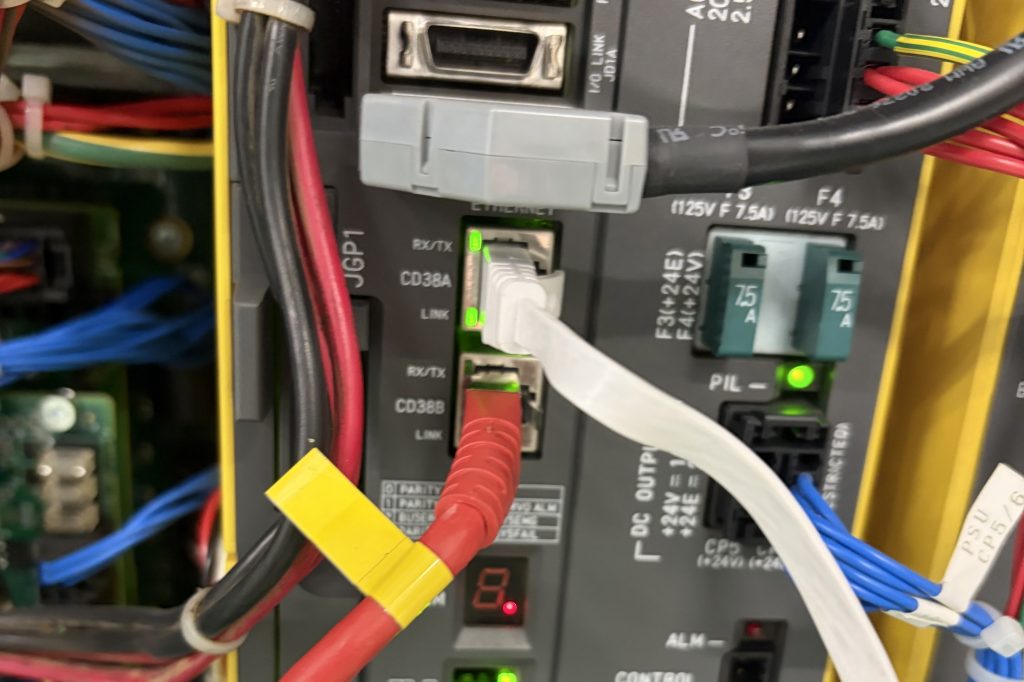

If you are installing SCADA or MES, the robots are usually the awkward part. PLCs, drives and sensors go in without much fuss. Robots are different. Each brand has its own controller, its own protocol and, more often than not, a paid software option before it will talk to anything outside the cell.
RoboVigil solves the robot half of that problem. It has native connectors for ABB, FANUC and Universal Robots, plus MiR, that read the controller directly. No software options, no PLC in the middle, nothing installed on the robot.
What a PLC bus connection actually gives you
The usual way to get a robot into SCADA is through the cell PLC over Profinet or EtherNet/IP. That works, but you only get what the integrator mapped: a handful of status bits, maybe a fault bit, a cycle count if you are lucky. When the fault bit goes high, you know the robot has stopped. You do not know why.
Anything more means asking the integrator to map more signals, or buying the robot manufacturer’s OPC UA option and configuring it, or both. On an installed robot that nobody wants to touch, it rarely happens.
What the native connectors give you
The RoboVigil connectors communicate directly with the robot controller using its native interfaces, so you get the detail the pendant has:
- ABB (IRC5 and OmniCore, via Robot Web Services): controller state, the full event log with error numbers and text, I/O and program state.
- FANUC: alarm history with the actual alarm codes and messages, live I/O with the integrator’s own labels, group I/O, program status.
- Universal Robots: protective stop and safety stop reasons, robot mode, program state, I/O and variables.
- MiR: mission state, position and errors from the fleet.
So instead of a fault bit, you get “SRVO-050 Collision detect alarm” or “Protective stop: joint limit violation”, with a camera snapshot taken at the moment it happened. That is the difference between a dashboard that says the robot has stopped and one that says what to do about it.
The connectors have all been tested end to end on real robots, including FANUC welding cells and ABB IRB 660 palletisers on both IRC5 and OmniCore running RobotWare 8, over ordinary 4G. Most new ABB robots in the UK still ship on IRC5, and both are covered.
Getting the data where you need it
RoboVigil is a monitoring platform first: the data goes to an app on your phone and a web dashboard, with push notifications the moment something faults. Alerts can also be sent to Slack and Microsoft Teams, which is often enough to get robot events in front of the people watching the plant.
If your SCADA or MES needs the data itself, we can build a REST API to your specification. Tell us what your system expects and we will feed it. This is not a standard product feature today, so it is a conversation rather than a tick box, but the hard part, getting the data out of the controller reliably, is already done.
RoboVigil also reads OPC UA and MQTT (plain and Sparkplug B) for the non-robot machines on the line, so the same platform can cover the whole cell if that is useful.
How it connects
Nothing goes on site except an IP camera and a small router running WireGuard, or your existing router if it supports it. The robot sits on its own segment and connects out to RoboVigil’s EU-based servers over the VPN. Camera streams never leave the LAN except to RoboVigil. Setup for a first machine is typically under an hour.
Setup guides for each connector:
- How to Monitor ABB IRC5 Robots with RoboVigil
- How to Monitor ABB OmniCore Robots with RoboVigil
- How to Monitor FANUC Robots with RoboVigil
- How to Monitor Universal Robots with RoboVigil
- Connecting Machines Safely: WireGuard, Network Segmentation and the Teltonika RUT200
About RoboVigil
RoboVigil is built by Hagen Automation Ltd in Sharnbrook, Bedford. I have spent 25 years in industrial robotics, and every connector has been developed and tested on real machines with integrators and the robot manufacturers themselves.
If you are partway through a SCADA or MES project and the robots are holding it up, get in touch or try RoboVigil free on one machine.