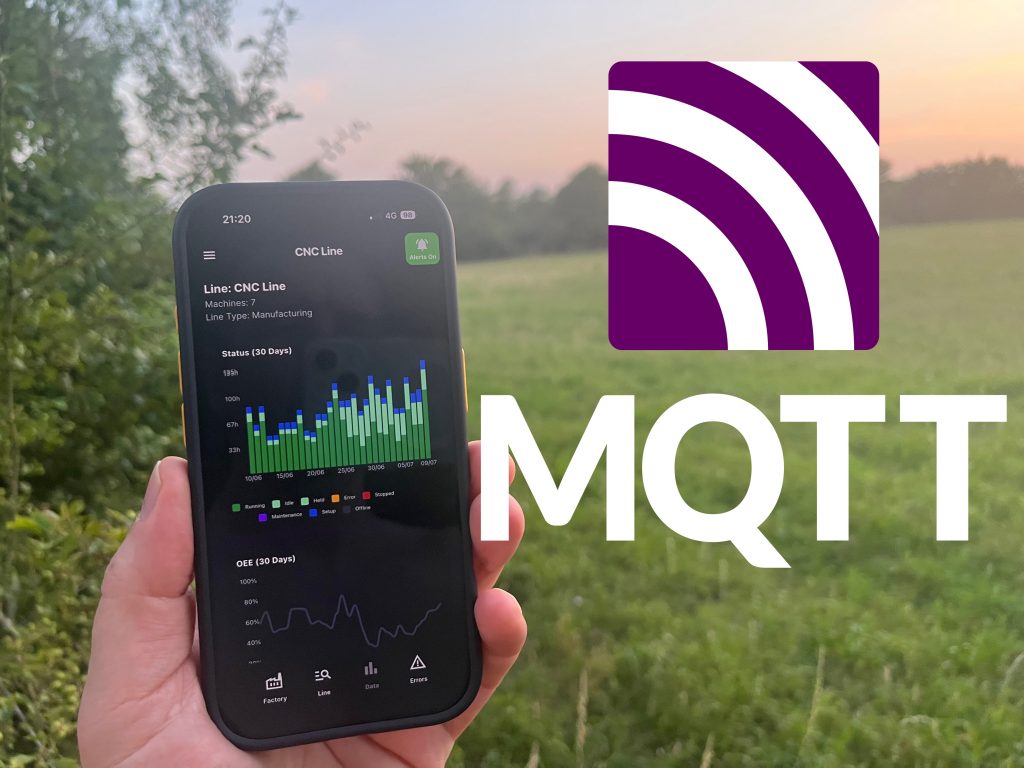

MQTT is a widely used protocol in industrial monitoring — everything from a £90 box with three wires in it to a full Sparkplug B installation covering an entire site. RoboVigil supports both ends. This guide covers the difference between standard MQTT and Sparkplug B, how to configure each in RoboVigil, and why the configuration works the way it does.
MQTT itself is simple: devices publish values to named topics on a broker, and anything subscribed to those topics receives them. RoboVigil connects to your broker as a subscriber, through the same WireGuard VPN tunnel as every other RoboVigil connector. Nothing is exposed, and RoboVigil never publishes — it only listens.
Lightweight: Standard MQTT
Standard MQTT has no rules about topic names or payload formats — every device and integrator does it slightly differently. RoboVigil handles the common patterns: a flat JSON object where the keys are variable names, a single value per topic where the topic path names the variable, and batched arrays of timestamped readings.
Configuration in RoboVigil is one machine per base topic. On the Machine Setup page you enter the broker address and port (usually 1883, or 8883 if the broker uses TLS), a username and password if the broker requires one, and the base topic — the topic your machine publishes its data under. RoboVigil listens beneath that topic. Test the connection, then fill in the variable table — mapping what the machine publishes to named variables — and save.
Monitoring with a £90 Box
The lightweight end goes further than you might expect. Plenty of machines have no controller worth connecting to — or a controller nobody is allowed to touch. For those, a Teltonika TRB141 does the job: a compact DIN-rail IoT gateway with digital inputs, 4G, and MQTT and WireGuard built in, for around £90.
Wire two or three signals from the machine into its inputs — run beacon, alert beacon, perhaps a cycle-complete signal. Insert a data SIM, point the TRB141 at RoboVigil, and it publishes those inputs over MQTT through a secure WireGuard tunnel. In the app you get running/stopped/alert status, a push notification when the alert beacon fires, and utilisation derived from the run signal. No network configuration on site, no IT involvement, no PLC. It works on machines that predate Ethernet entirely.
Heavyweight: Sparkplug B
Sparkplug B is MQTT with the rules filled in. It’s an open specification that fixes the topic structure and payload format, and it’s what serious industrial MQTT installations use — SCADA platforms, modern PLC gateways, plant-wide data infrastructure.
Three things make it different. First, the namespace is fixed: every message follows spBv1.0/GroupID/MessageType/EdgeNode/Device, so any Sparkplug system can read any other’s traffic. Second, payloads are binary protobuf rather than JSON — compact and strictly typed. Third, and most usefully, devices announce themselves: when an edge node comes online it publishes a birth certificate listing every metric it will report, with names, types, and current values, and the broker announces a death certificate the moment it drops. You know a machine has gone offline because the protocol tells you — not because the data went quiet.
RoboVigil takes full advantage of this. Configuration starts the same way — broker address, port, credentials — plus the Group ID, which must exactly match the one set on your Sparkplug edge node (it’s the first part of every topic). Then you add one device at a time: pick the device, and RoboVigil reads its birth certificate and fills the variable table itself, using the names the metrics were given at source. You review, configure the device the way you want it, and save — then add the next one. There’s no variable table to fill in by hand; the protocol already carries everything RoboVigil needs.
That’s the other difference: scale. One edge node can carry many devices, and each becomes its own machine in RoboVigil. A single broker connection can monitor a whole cell — or a whole site — where standard MQTT is one machine per base topic.
Which One?
You don’t usually choose — the equipment decides. If your gateway, PLC, or SCADA platform speaks Sparkplug B, use it: you get automatic discovery, proper offline detection, and multiple machines through one connection. If your device publishes plain MQTT — or it’s a TRB141 with three wires in it — standard MQTT does the job, and RoboVigil treats both identically once the data is flowing: same alerts, same production timeline, same app.
Getting Started
For either flavour, start the same way:
- Create an account at app.robovigil.com
- Configure the WireGuard tunnel on your router or gateway so RoboVigil can reach your broker
Standard MQTT:
- Add a machine in Machine Setup and choose MQTT
- Enter the broker address, port, credentials, and the machine’s base topic
- Test the connection, fill in the variable table, and save
Sparkplug B:
- Add a machine in Machine Setup and choose MQTT (Sparkplug B)
- Enter the broker address, port, credentials, and the Group ID
- Pick the device — RoboVigil reads its birth certificate and fills the variable table for you
- Review, configure the device, and save — then repeat for each additional device
Finally, connect a standard RTSP IP camera to the cell and add it in Camera Setup. Done.
Any Questions?
Contact: hello@robovigil.com
RoboVigil is a cloud-based machine monitoring platform for industrial robots and CNC machines. Software only — off-the-shelf IP cameras, your existing router, nothing installed on the machine. robovigil.com